VCV expander modules
Many VCV Rack plugins include expander modules: modules that add features to another module when the two are placed side by side in the rack. Typical examples might be extra channels or controls for a mixer, or CV inputs for parameters that don't fit on the main module's panel.
Starting in firmware v2.4.0, expander modules are fully supported. A patch made in VCV Rack opens and runs on the MetaModule with the same expander connections, and you can view, create, and remove expander connections on the MetaModule itself.
Not the same as hardware expanders
This page is about virtual expander modules inside a patch. For the hardware expanders that attach to the back of the MetaModule, see Wi-Fi Expander, MetaAIO, and MetaButtons.
Make sure you are using MetaModule firmware v2.4.0 or later, and the 4ms VCV plugin v2.3.0 or later. Also, older versions of plugins may not have included the expander modules, so make sure to update those as well.
Expanders in a VCV Rack patch
Build the patch in VCV Rack as you normally would, with each expander touching the module it expands. When you save or send the patch from the MetaModule Hub, the expander connections are stored in the patch file if the following are all true:
- The two modules are touching, side by side.
- Both modules are from the same plugin brand.
- At least one of the two has the "Expander" tag (as seen in the VCV Rack module browser).
When you load the patch on the MetaModule, the two modules will be connected as expanders. An expander connection is a link between two modules that is saved in the patch. Unlike VCV Rack, the two modules do not have to be next to each other on the screen: they stay connected wherever the modules are arranged.
Viewing a module's expanders
-
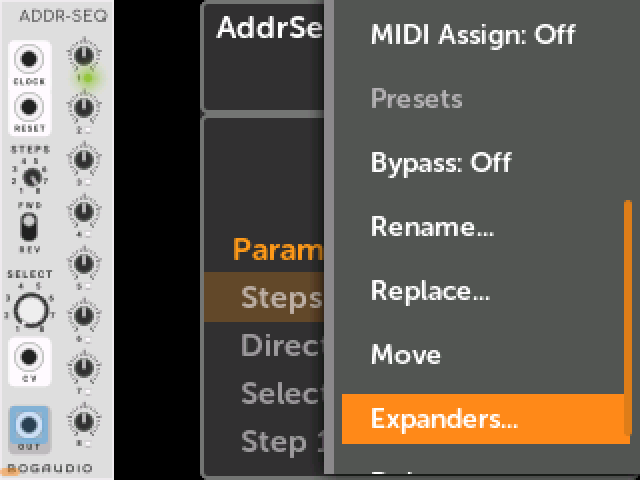
1. Open the module's Action menu and click
Expanders...Click on the module in the Patch View, click the Tool icon to open the Module Action menu, and scroll down to
Expanders...
-
2. The Expanders window shows what is attached to each side
Each module has a Left side and a Right side. A side shows the name of the module attached to it, or
noneif nothing is attached.Click on an attached module's name to jump to that module.
Press the Back button to close the window.
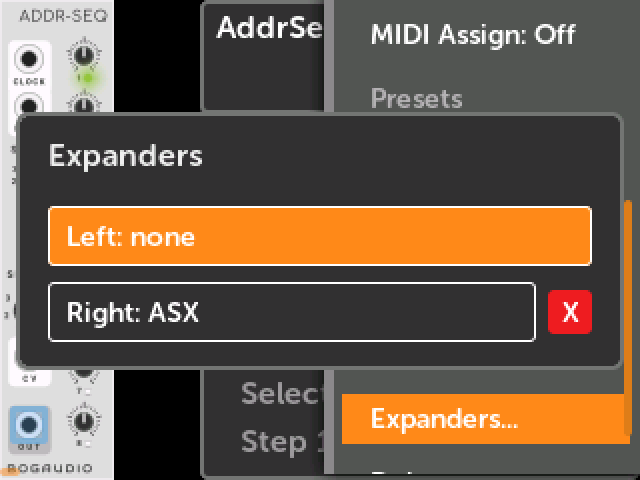
While the patch is playing, a note after the module name tells you about the connection:
- active: the two modules are exchanging data, which means the expander is working.
- no link: the connection is in the patch, but the two modules are not linked. This happens if one of the modules is not a module ported from VCV Rack. It can also appear for a moment right after you attach an expander.
- No note: the modules are linked, but they have not sent each other anything that the MetaModule was able to see. Some expanders communicate directly with each other, and the MetaModule firmware won't be able to verify the link in this case, even though everything is working normally.
Attaching an expander
You can attach an expander to a module at any time, even while the patch is playing. Both modules must already be in the patch.
-
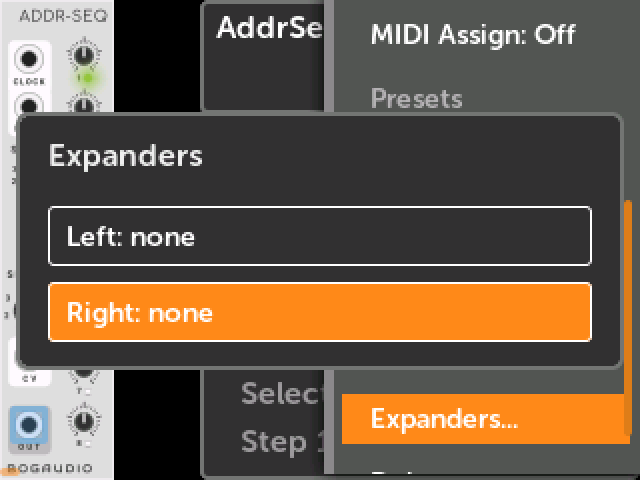
1. Click an empty side in the Expanders window
Pick the side that the expander goes on. This is the same side you would place it on in VCV Rack. Some expanders require being on one side or the other, so read the documentation for the modules you're using to find out.
-
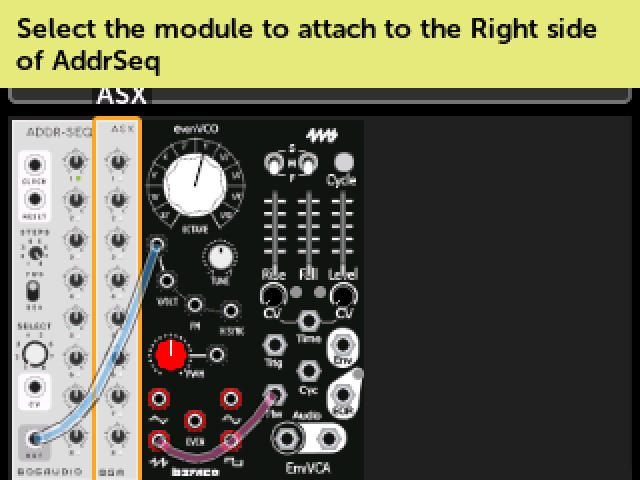
2. Select the module to attach
Turn the encoder to highlight the expander module, and click on it.
To cancel, press the Back button.
-
3. The expander is attached
The Expanders window of the first module will be displayed, showing the new connection.
Some things to know:
- The MetaModule does not check that the two modules were designed to work together. You can attach any two modules, but only a real expander pair will do anything.
- Expander connections are saved with the patch, so remember to save the patch after making changes.
Detaching an expander
-
Click the red
Xnext to the attached moduleTurn the encoder until the
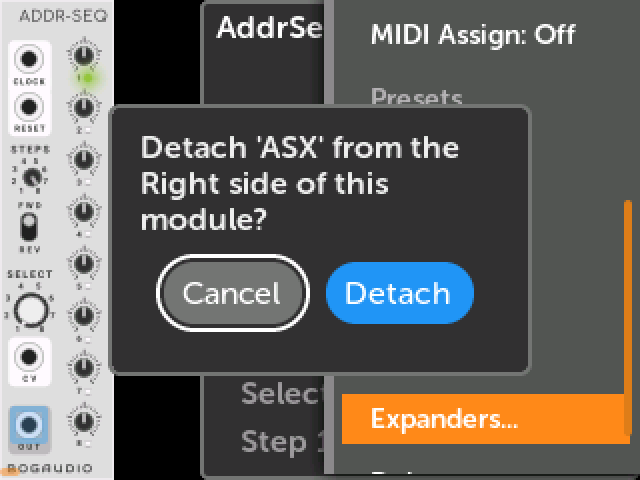
Xis highlighted, click, and then confirm by clickingDetach.Only the connection is removed. Both modules stay in the patch, along with their cables and mappings.
Deleting a module from the patch also removes its expander connections. The same is true when you replace a module.